 GL Reader by GenLaw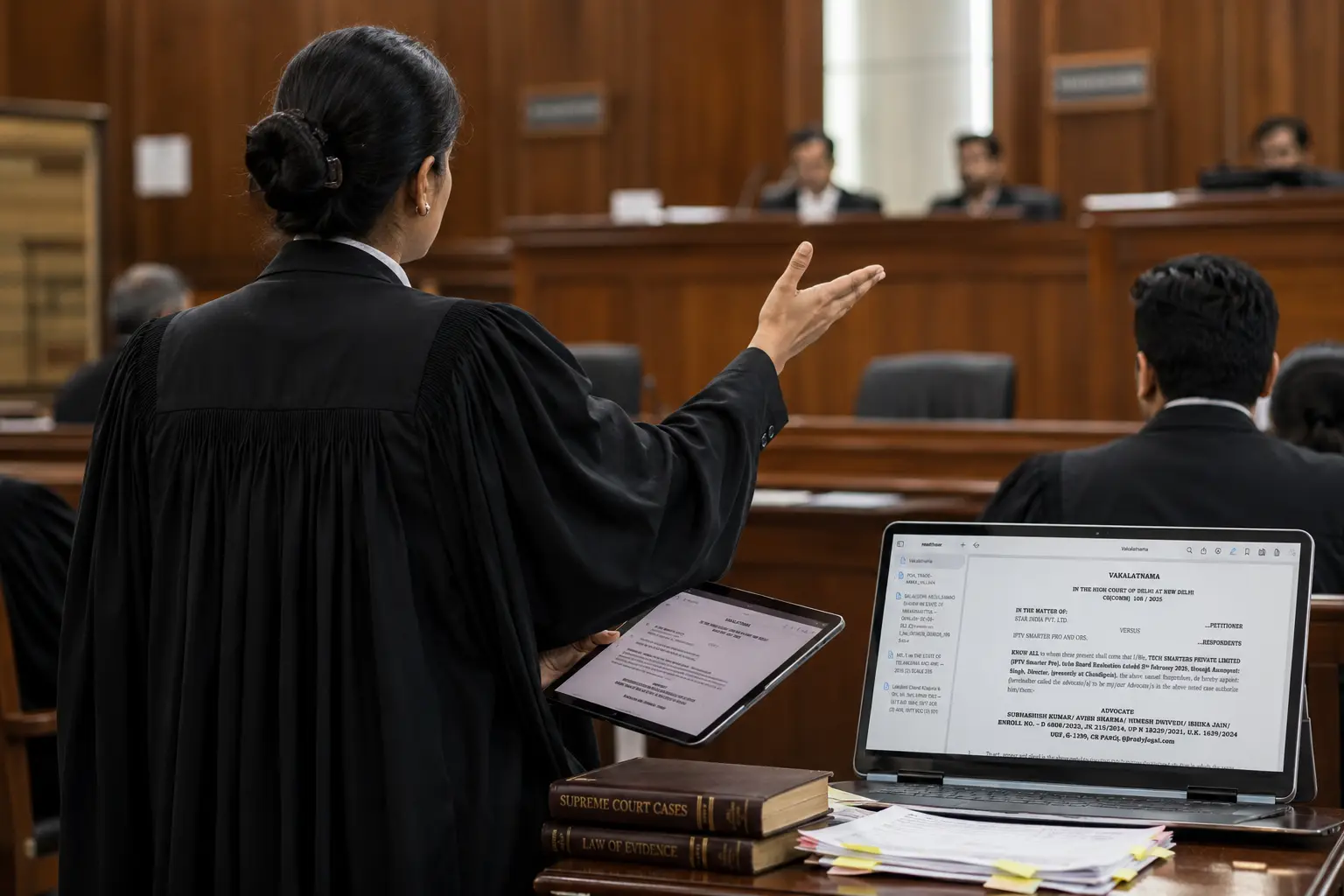
Built for the moment you're on your feet.
- Keep the file in order. Pleadings, annexures, orders and notes filed by matter — not scattered across folders and WhatsApp.
- Prepare in half the time. Search 2.4 million judgments with summaries, and pull pin-cites straight into your brief.
- Answer the bench, not your bag. Every page and authority one tap away while you argue — offline.
Pleadings, annexures, orders and judgments — one file, one tap.
GL Reader is a reading and case-preparation workspace made for the way advocates actually prepare a matter — from the first reading to the morning of the hearing.
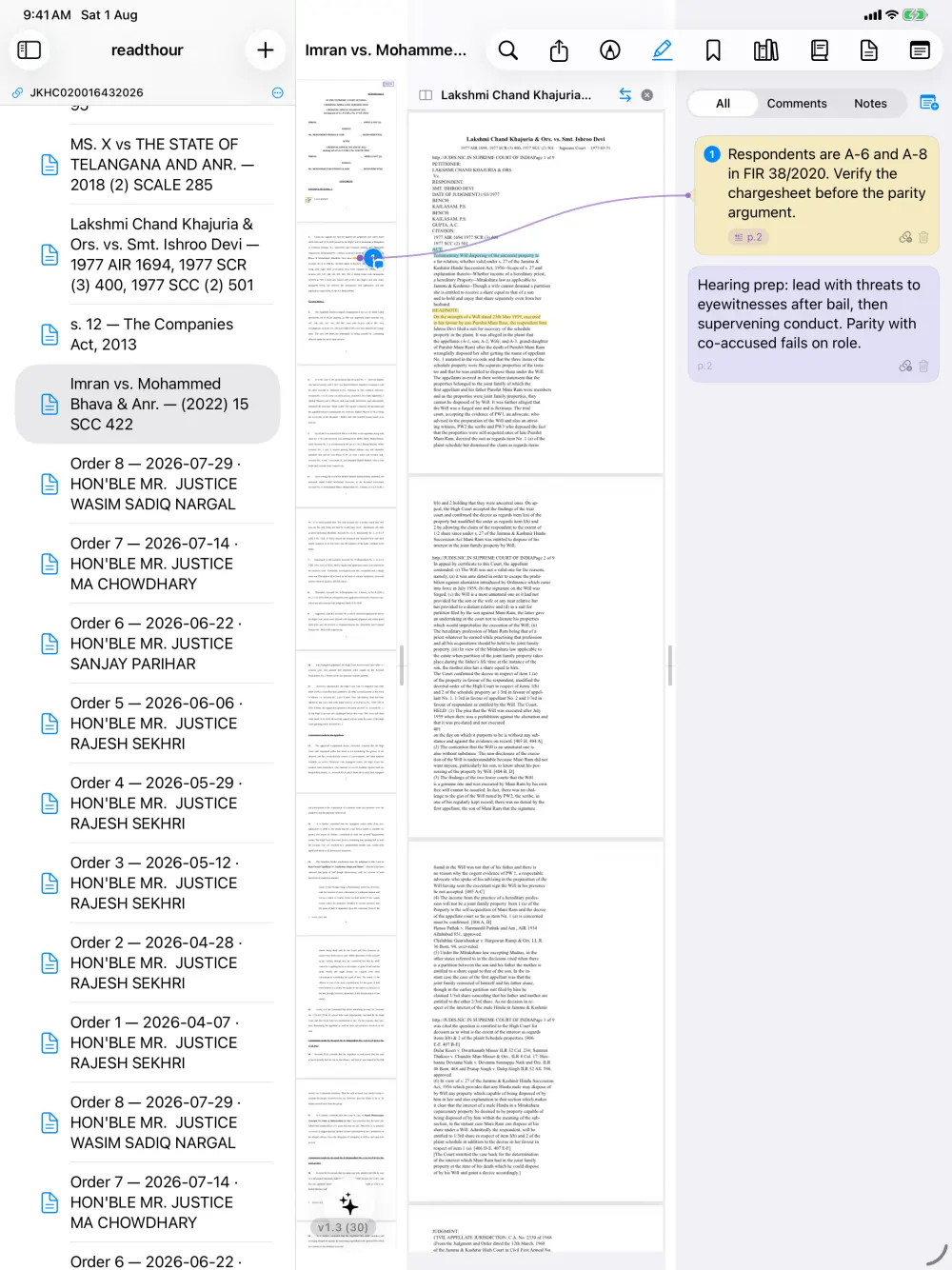
The petition beside the order. Paragraph 12 beside Annexure 4.
Read two documents at once — or two places in the same document — and drag the divider to give either side the room it needs.
- Split any two documents in the matter
- Bookmark annexures and jump straight to them
- Pen, highlighter, underline and anchored comments
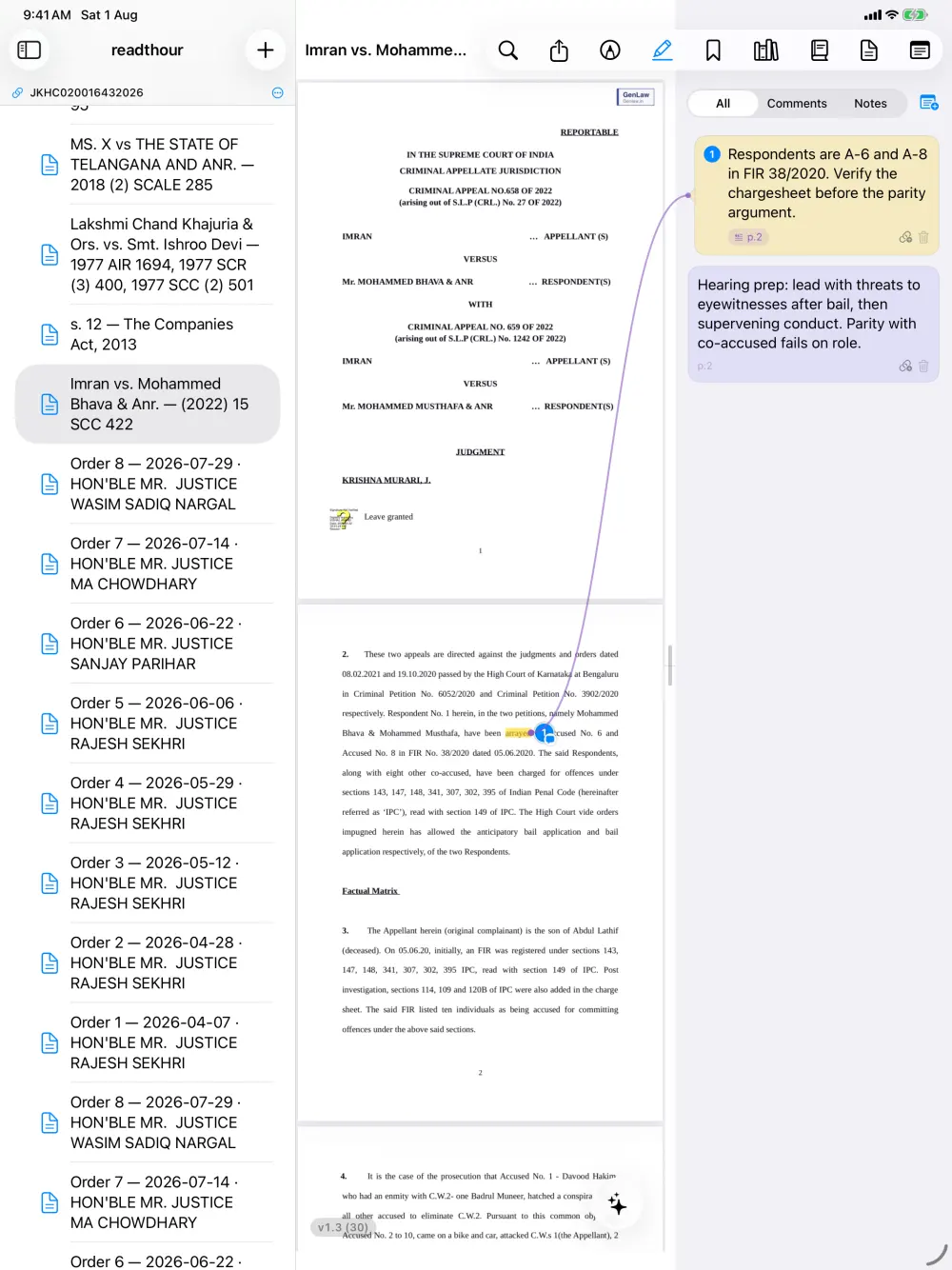
Link the argument, not just the page.
Comments stay anchored to the exact words they belong to, with a connector line from the passage to the note. Then connect a passage to another — in the same document or a different one — and name the relationship.
Both ends carry the same marker — tap either to jump to the other — and the colour tells you at a glance whether an authority helps you or cuts against you.
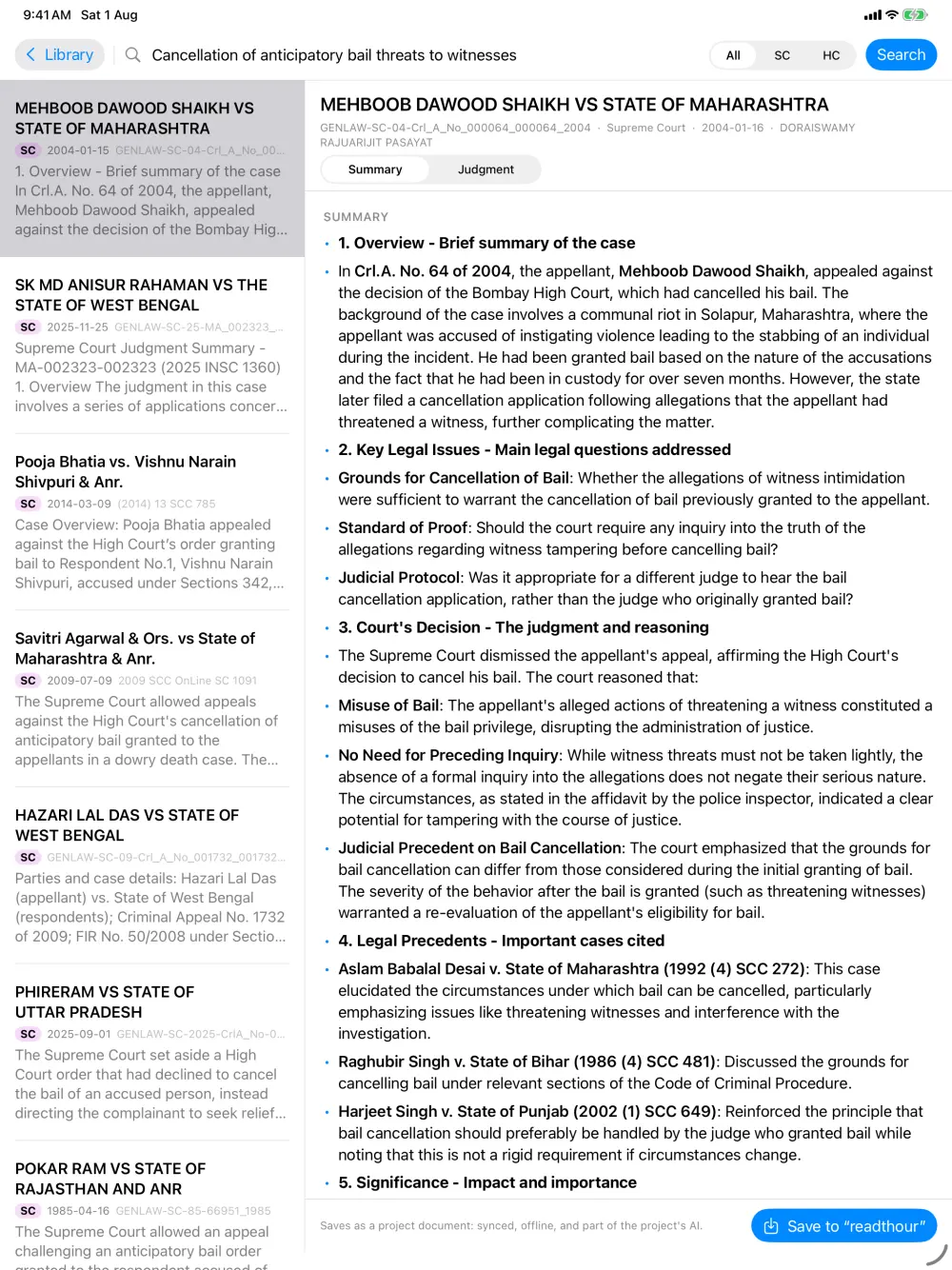
2.4 million judgments, without leaving the matter.
Search Supreme Court and High Court judgments and read a structured summary first — issues, holding, precedents cited. When a case is worth keeping, save the official PDF into the matter with one tap.
- Supreme Court and High Court judgments
- Central and State Bare Acts, down to the section
- Judgments saved in GenLaw come with you
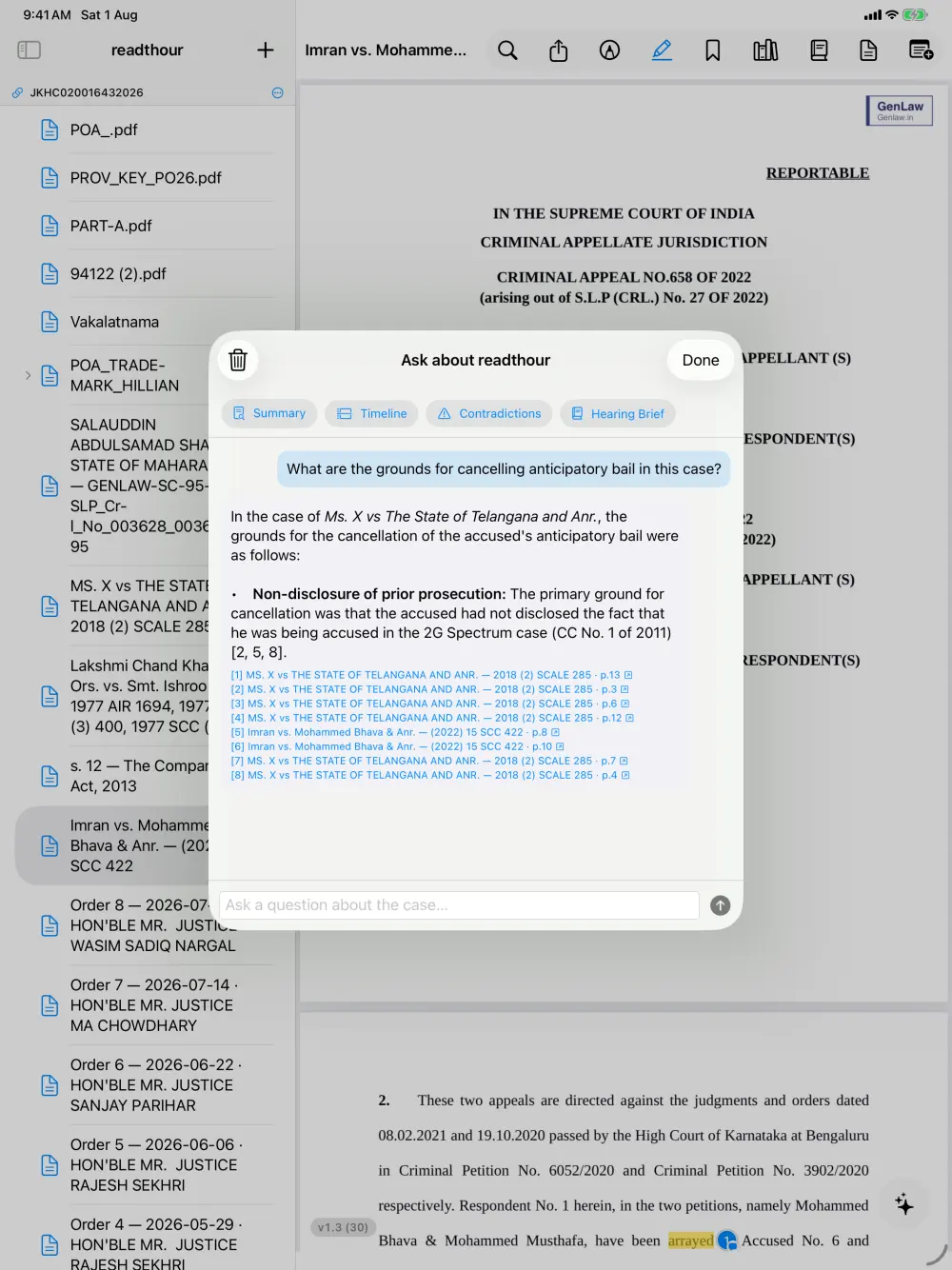
Ask AI anything about the case.
Ask anything — across every pleading, order and judgment in the matter — and get an answer with citations back to the exact page — so you can check it before you rely on it. Summary, timeline, contradictions and a hearing brief are a tap away.
- Runs on GenLaw's own servers
- Never sent to a third-party AI provider
- Never used to train models
The case comes to you — and so does the team.
Prepare as a team
Your associate prepares the matter in GL Reader — files, mark-up, links and the Brief — and you and the rest of the team open the same case, ready to argue.
Linked to your GenLaw cases
Connect GL Reader to GenLaw and link a matter to its case. Every order in that case lands in the file automatically — no downloading, no renaming.
Every Central Act, a tap away
All Central Acts — and State Acts — are searchable down to the section. Add the provision you rely on to the case in one tap.
Built for courtrooms without Wi-Fi
Documents download to the device automatically. Reading, mark-up, links and the Brief all work with no connection.
Write the submission
A full-screen Brief sheet lives beside the record, with bold and numbering — draft while the authority is still in front of you.
Follows you everywhere
Prepare on the office PC, review on the Mac, argue from the tablet. Your matters and mark-up sync across every device.
Your client's file stays your client's file.
Case papers are confidential. GL Reader is built so the documents you open are read by you — and by AI that runs on our own hardware, not someone else's.
Our own AI servers
Questions about your documents are answered on GenLaw's own servers. Nothing goes to a third-party AI provider.
Never used for training
Your documents are never used to train models — ours or anyone else's.
No ads, no trackers
The apps carry no advertising or analytics SDKs, and you can delete your account and its documents at any time. Read the policy →
Get GL Reader on every device.
One free account across all of them. Sign in with your mobile number — if you already use GenLaw, it's the same account.
Android
- Requires
- Android 8.0 or later
- Billing
- Through Google Play
iPhone & iPad
- Requires
- iOS / iPadOS 26 or later
- Billing
- Through the App Store
Installing on Windows
- Open GL-Reader-Setup-0.3.4.exe from your Downloads folder.
- If Windows shows “Windows protected your PC”, choose More info → Run anyway.
- GL Reader installs and opens. Sign in with your mobile number — future versions install themselves.
Installing on Mac
- Open GLReader-1.4.dmg.
- Drag GLReader into Applications, then open it from Launchpad or Finder.
- The app is signed and notarized by Apple, so it opens without security warnings.
Installing on Android
Install from Google Play and sign in — the simplest route, with automatic updates.
- If your tablet has no Play Store, tap download the APK instead and open the downloaded file.
- If asked, allow your browser to install unknown apps, then tap Install.
- Open GL Reader and sign in with the same account you use elsewhere.
iPhone & iPad
Install GL Reader from the App Store and sign in with the same account — your matters, mark-up and plan follow you from Windows, Mac and Android.
Free to start. Upgrade when the docket grows.
Free
Every feature, on every device — with fixed allowances on the number of matters, document storage, and monthly AI questions and searches.
- Reading, annotating and linking — never metered
- The Brief, offline access and sync — never metered
- Case-law and Bare Act search
Pro
Higher allowances for advocates with a full cause list. Upgrade from inside the app — current prices are shown there.
- Everything in Free
- More matters and document storage
- More AI questions and searches each month
Questions, answered.
Do I need a GenLaw account?
Yes — signing in is free, with your mobile number or your email address. If you already use GenLaw, it is the same account, and your saved judgments come with you.
Can I use it without a connection?
Yes. Documents are saved to your device as you open them, and reading, annotating and your notes all work offline. Changes sync when you are back online.
How do I delete a document, a project, or my account?
Long-press (or right-click) a file or project to delete it. To delete your whole account and everything in it, see Delete your account.
What are the plan limits?
Current allowances are shown in the app. Reading, annotating and offline access are never metered on any plan.
How do I cancel a subscription?
In the App Store or Play Store under your account's subscriptions — Apple and Google handle the billing, so cancellation happens there rather than in GL Reader.
Where is my data stored?
Your account, projects, annotations and the AI run in India. Uploaded document files are currently held in a Singapore data centre. The Privacy Policy has the full detail.
Need a hand?
Email us what you were doing, on which device, and what happened. We usually reply within one working day.
GL Reader is a research and drafting aid, not legal advice. Judgments and Acts come from public records and official publications, and AI-generated summaries and answers can be incomplete or wrong. Always verify against the official record and the certified copy before relying on anything in court.